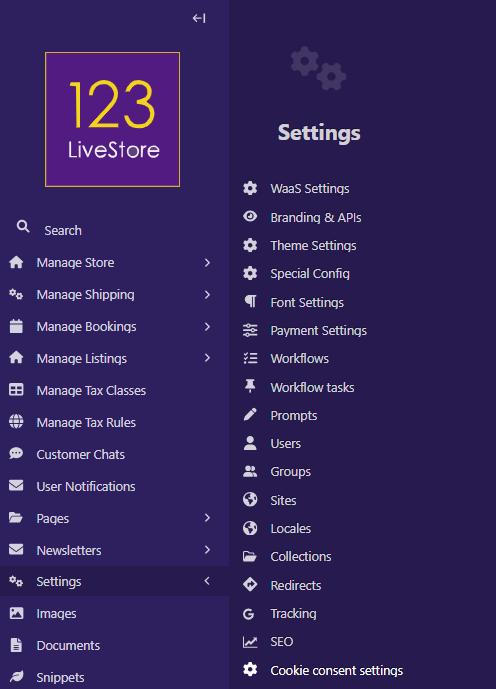
20 Settings > Cookie consent settings
Cookie consent is a critical element of modern websites, especially for platforms like 123LiveStore, because it directly ties into legal compliance, user trust, and transparency.
Legal & Regulatory Importance
- GDPR (EU) and PDPA (Malaysia) require websites to inform users about cookies and obtain consent before storing or accessing data on their devices.
- Non-compliance can lead to fines, legal action, or reputational damage.
User Privacy & Trust
- A clear cookie consent banner shows users that your site respects their privacy.
- It builds confidence by explaining what data is collected (analytics, personalization, advertising) and why.
- Giving users control (accept, reject, or customize cookies) makes your platform more trustworthy.
Business & SEO Benefits
- Transparent practices reduce bounce rates because users feel safer staying on the site.
- Consent management ensures analytics tools (like Google Analytics) collect data legally, keeping insights reliable.
- Many ad networks require cookie consent compliance before allowing campaigns to run.
Configuration
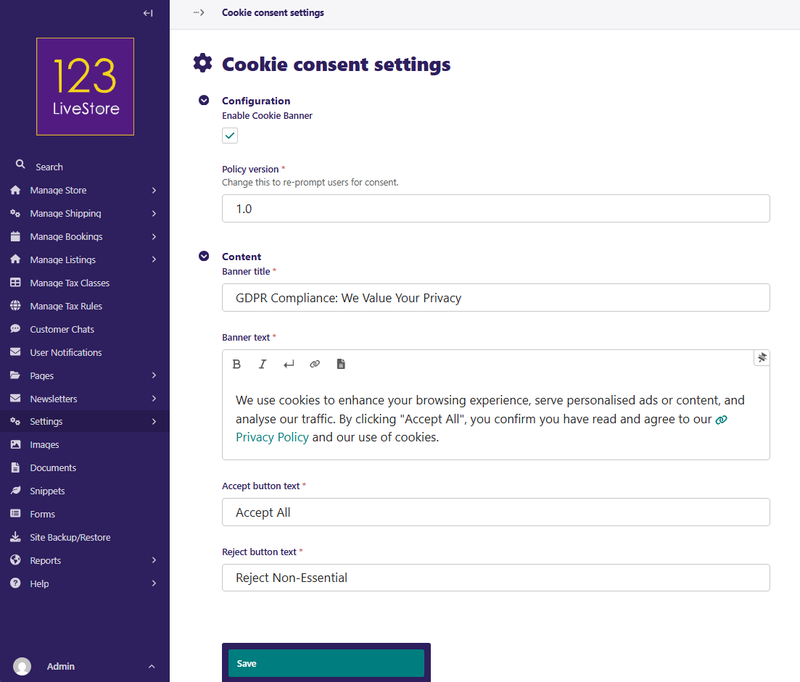
- You can configure the banner text, consent options, and styling directly from the admin panel.
- Best practice is to offer granular controls (e.g., “Essential cookies only” vs. “Allow all”).
- Align the design with your site’s branding (dark professional themes, as you prefer) while keeping it clear and non-intrusive.
Cookie consent isn’t just a checkbox for compliance—it’s a trust signal that strengthens your brand and protects your business.
Implementation
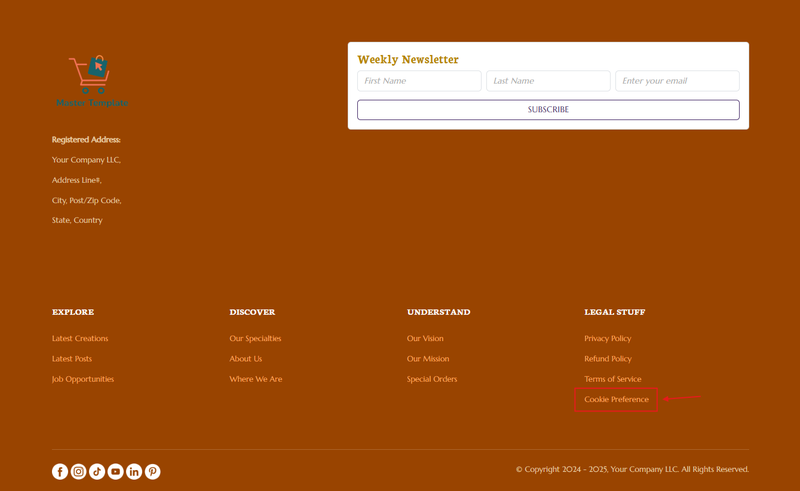
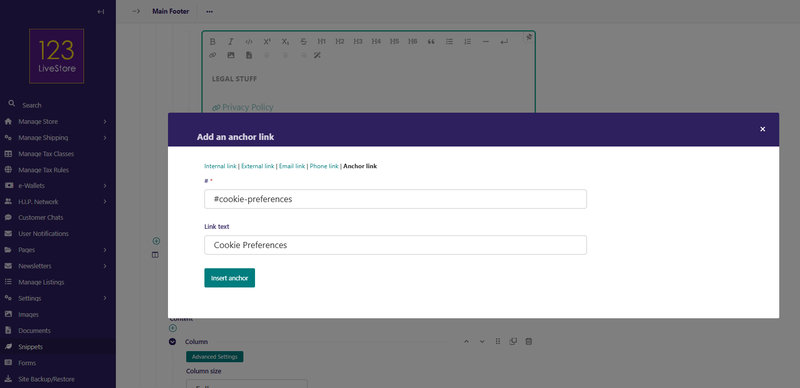
To make the Cookie consent available on your website, you need to add an Anchor Link in the footer:
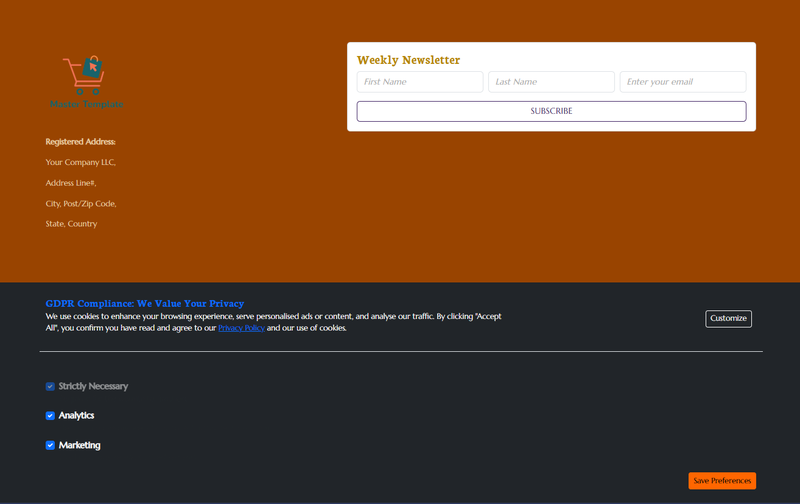
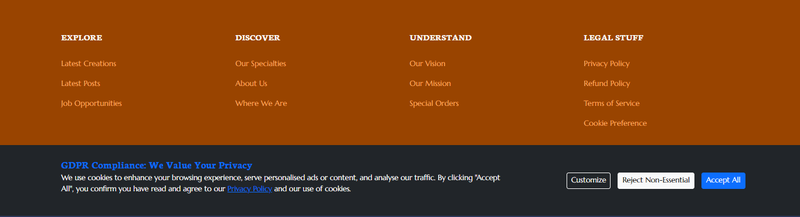
When a visitor first arrives at your site, the Cookie banner will be displayed:
The visitor can click 'Customize' to set personal preferences: