37 Customer Chats
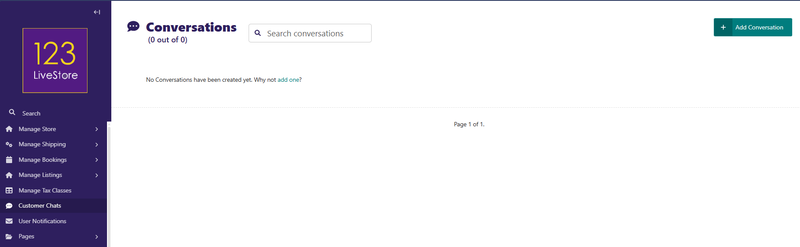
Customer Chats is a two-way support messaging system between customers and store admins.
What it is
A threaded conversation inbox — customers open support tickets from their dashboard, admins reply from the site admin. Think of it as a lightweight helpdesk/live-chat system built into the store.
How it works
Customer side (at `/dashboard/messages/`):
- Customer opens a new conversation with a subject and an optional linked order
- Sends text messages in a thread
- Sees replies from admin, gets a `NEW_MESSAGE` notification when admin responds
- Can view all their own conversations in `list_conversations.html`
Admin side (at `/admin/dashboard/conversation/`):
- Lists all conversations across all users — filterable by status, read/unread, user
- Opening a conversation auto-marks it as read by admin
- Admin sees the full message history via the custom `MessageHistoryPanel`
- Admin can type a reply directly in the edit form (the `reply_body` field) and submit — a new `Message` record is created attributed to the admin user, which triggers a `NEW_MESSAGE` notification to the customer
- Admin can update the conversation status (the only editable field)
- Admin can start a new conversation with any user (useful for proactive outreach)
| Status | Meaning |
|---|---|
| OPEN | Newly created, awaiting a reply |
| AWAITING_ADMIN | Customer has replied, ball is in admin's court |
| AWAITING_USER | Admin has replied, waiting for customer |
| RESOLVED | Issue considered solved |
| CLOSED | Fully closed — only CLOSED conversations can be deleted |
Status transitions are automatic based on who sends the last message (tracked in `Message.save()`), but admin can also manually override the status.
Key behaviours
- Read flags: `is_read_by_admin` / `is_read_by_user` flip automatically when a message is sent by either side — drives unread badge counts on both ends
- Deletion protection: attempting to delete a non-CLOSED conversation is blocked with an error message — both single-delete and bulk-delete check status
- Optional order link: a conversation can be tied to a specific order, giving admin context right in the edit view
Back to Contents Page