38 Manage Tax Classes
Tax Overview
Your store supports country-specific tax rates. This means you can set different tax rates for different countries where your customers are located. For example, you might charge 8% tax in Malaysia, 20% in the UK, or 0% in some countries.
How It Affects Your Customers
When a customer places an order, the tax amount they see automatically updates based on their shipping country. The order confirmation email and invoice will show both:
- Which tax is being applied (e.g. Standard Rate)
- The tax percentage (e.g. 8%)
If you haven't set up a tax rule for a customer's shipping country, their order might not be allowed to complete—you'll see a message asking them to select a different shipping location.
Manage Tax Classes
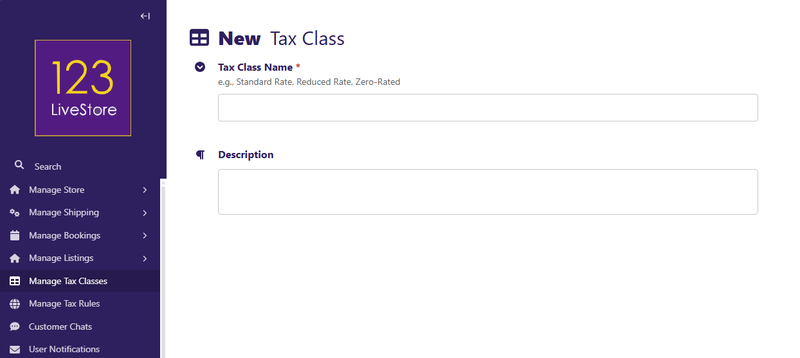
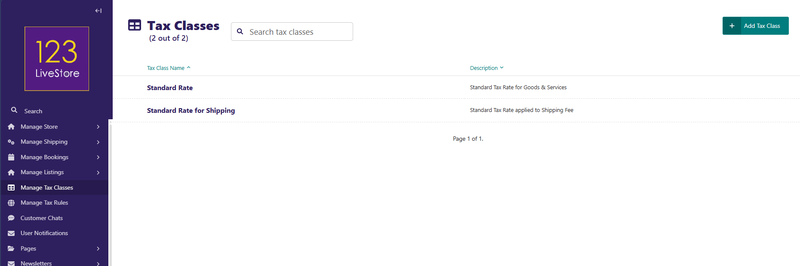
This is the admin screen where you define a list of your tax categories (e.g. Standard Rate, Reduced Rate, Zero-Rated). Use generic names to describe the concept, not the jurisdiction.
For example. 'Standard Rate' applies to all countries at their respective standard rates. This tax category is simply a label you assign to your products or services, and country-specific tax rates are set up under Manage Tax Rules.