38 User Notifications
User Notifications is a read-only admin audit log of system-generated in-app notifications that have been sent to end users (customers/registered users) on the site.
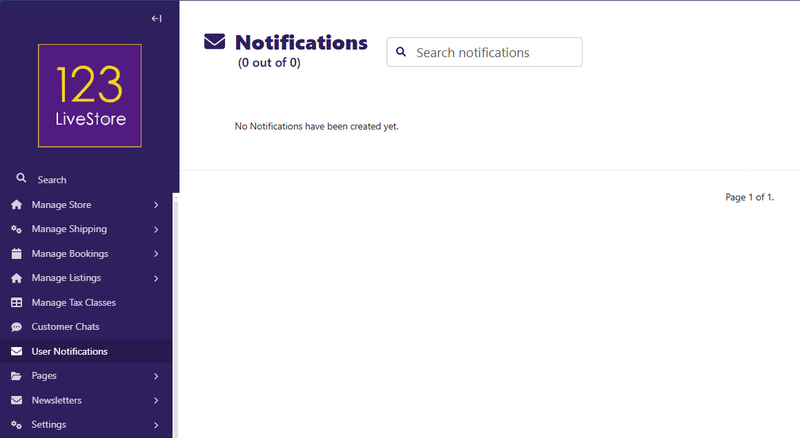
Here's what it covers:
| EVENT | NOTIFICATION TYPE |
|---|---|
| Customer places a new order | ORDER_PLACED |
| Order moves to processing | ORDER_PROCESSING |
| Order shipped | ORDER_SHIPPED |
| Order delivered | ORDER_DELIVERED |
| Order cancelled | ORDER_CANCELLED |
| Admin replies to a customer's conversation | NEW_MESSAGE |
Other types defined but not yet wired to signals (available for future use): `PAYMENT_CONFIRMED`, `ORDER_ISSUE`, `REFUND_PROCESSED`, `NEW_COUPON_AVAILABLE`, `PRODUCT_ON_SALE`, `PRICE_DROP_ALERT`, `GENERAL_ANNOUNCEMENT`.
What the admin page lets you do:
- Browse all notifications across all users — filterable by type, read/unread status, date, username
- Search by username, email, message text, order ID, or conversation subject
- Inspect the full detail of any notification (user, type, message, timestamp, read status, linked order/conversation)
- Cannot create or edit notifications — they are purely system-generated (the `NotificationPermissionHelper` blocks both)
- Can delete stale records if needed
Where users see these:
In their own customer dashboard (the `/dashboard/notifications/` views let users mark them read, delete them, or mark all read). This site admin view is purely for store operators to monitor what notifications have gone out.